World Cup 2026 SIM Cards & WiFi
The complete connectivity guide for international fans at the FIFA World Cup 2026 across the USA, Canada, and Mexico.
Know Before You Go
Your phone is your lifeline at the World Cup 2026. Digital match tickets, real-time transit navigation, stadium maps, and group chats with fellow fans all depend on reliable data. The smarter move over expensive roaming? An eSIM or local SIM card that covers all three countries for a fraction of the price. This guide breaks down every option so you stay online from kickoff to final whistle without a surprise bill.
Coverage is strong across all three countries. The major carriers in each country offer 5G near host stadiums, and you can pick up a local prepaid SIM at airports, convenience stores, or carrier shops in every host city.
If you are visiting multiple cities across borders, a regional eSIM from Holafly or Airalo costs less than a single day of roaming through your home carrier. Check our FAQ below for exact prices and recommended plans in each country.
Did You Know?
Verizon is the official telecommunications sponsor for FIFA World Cup 2026 and will provide in-stadium WiFi and 5G connectivity at all 16 host stadiums. However, with 60,000–80,000 fans connecting simultaneously, you should always have your own mobile data as a backup. An eSIM is the easiest way to get connected. You can install it before you even leave home.
JUMP TO A SECTION
eSIM vs Physical SIM Card
Which option is best for your World Cup trip? Here's a detailed side-by-side comparison.
Digital SIM card
An eSIM is a digital SIM embedded in your phone. Purchase online, scan a QR code, and activate instantly. No physical card needed. Ideal for fans visiting multiple World Cup countries.
Compatible Phones
iPhone XR & newer · Samsung Galaxy S20+ · Google Pixel 3+ · Most phones from 2020 onward. Phone must be carrier-unlocked.
Traditional SIM card
A traditional SIM card you insert into your phone. Buy at airports, carrier stores, or convenience stores upon arrival. Best if your phone doesn't support eSIM.
Bring With You
SIM ejector tool (or a paperclip) · Your passport (required for purchase in Mexico) · Note your phone's SIM size (nano-SIM is standard).

Get your eSIM set up before departure and arrive connected
Install while on home WiFi, activate when you land
How to Set Up an eSIM
Follow these 5 steps before you board your flight. Arrive connected from the moment you land.
Check phone compatibility
Go to Settings → General → About and look for an 'Available SIM' or 'eSIM' option. Your phone must support eSIM (iPhone XR+, Samsung Galaxy S20+, Google Pixel 3+) and be carrier-unlocked. Contact your home carrier to confirm it's unlocked.
Choose a provider & plan
For multi-country coverage (USA + Canada + Mexico), choose Holafly (unlimited from ~$3.90/day), Airalo Americanmex (2-10 GB from $4.50), or Nomad North America (5 GB for $13). Match your plan to your trip length and data needs.
Purchase & receive QR code
Download the provider's app (Airalo, Holafly, etc.) or visit their website. Complete the purchase, and you'll receive a QR code via email or in the app. Do this 1-2 days before your flight.
Install the eSIM profile
On iPhone: Settings → Cellular → Add eSIM → scan QR code. On Android: Settings → Network → SIMs → Add eSIM → scan QR code. Label it 'World Cup' for easy identification. Do this while on WiFi before departure.
Activate on arrival
When you land, enable data roaming on the eSIM line. Set it as your primary data line while keeping your home SIM for calls and SMS. You're now connected and ready for the World Cup!
Best eSIM Plans for World Cup 2026
Top multi-country eSIM plans covering USA, Canada, and Mexico, perfect for fans attending matches across multiple host cities.
| Provider | Plan | Data | Price | Coverage |
|---|---|---|---|---|
| HolaflyBest Value | North America | Unlimited | ~$3.90/day | 🇺🇸 🇨🇦 🇲🇽 |
| Airalo | Americanmex | 2-10 GB | $4.50-$24 | 🇺🇸 🇨🇦 🇲🇽 |
| Nomad | North America | 1-20 GB | $4.50-$35 | 🇺🇸 🇨🇦 🇲🇽 |
| aloSIM | North America | 1-20 GB | $4.50-$37 | 🇺🇸 🇨🇦 🇲🇽 |
| Airalo | USA Only | Unlimited | $11.50/3 days | 🇺🇸 |
Unlimited
~$3.90/day
🇺🇸 🇨🇦 🇲🇽
2-10 GB
$4.50-$24
🇺🇸 🇨🇦 🇲🇽
1-20 GB
$4.50-$35
🇺🇸 🇨🇦 🇲🇽
1-20 GB
$4.50-$37
🇺🇸 🇨🇦 🇲🇽
Prices are approximate and may vary. All eSIM plans are data-only unless noted. Use WhatsApp or FaceTime for calls.

A reliable data connection keeps you navigating confidently
GPS, transit apps, and real-time translation all require mobile data
How Much Data Do You Need?
Estimate your daily data usage based on typical World Cup fan activities. Use this to choose the right plan size.
Download offline maps to save data
Text, photos, voice messages
Call home without roaming charges
Use WiFi when possible
Reels/Stories use more data
Upload over WiFi to save data
Download playlists offline
Checking scores, news, schedules
2–5
GB / Day
15–30
GB / 2 Weeks
A typical World Cup fan using GPS, WhatsApp, social media, and occasional video calls uses 2-5 GB daily. Heavy users streaming content should choose unlimited plans. Plan your outdoor data usage around the weather forecast and hot days mean more time exploring (and using data) outdoors.
Prepaid SIM Cards & Local Carriers
If you prefer a physical SIM or want a local phone number, here are the best prepaid options in each host country.
United States
11 Host Cities
The US has excellent 4G LTE and 5G coverage in all host cities. Three major networks: T-Mobile (best urban coverage, tourist-friendly), AT&T (strong nationwide), and Verizon (best rural coverage but limited prepaid for visitors).
T-Mobile Tourist Plan
$30/3 weeks
3 GB data + unlimited calls
Available via Ultra Mobile at Walmart, Target
T-Mobile Unlimited
$50/month
Unlimited 5G data
+$5/mo for Canada/Mexico roaming
Mint Mobile
$15-30/month
5 GB to unlimited
Best value, runs on T-Mobile network
Canada
2 Host Cities
Canadian mobile data is historically expensive, but budget carriers have improved. Three major networks: Bell, Rogers, and Telus. Their budget brands offer much better value for visitors.
Public Mobile
CAD $40/mo
100 GB (5G), US/CA/MX
Best value! Covers all 3 countries
Lucky Mobile
CAD $25/mo
25 GB with auto-pay
Runs on Bell network, eSIM available
Chatr
CAD $29/mo
25 GB, 4G
SIM at Toronto Pearson ~$10 CAD
Mexico
3 Host Cities
Mexico offers the most affordable prepaid plans. Telcel has the best coverage nationwide, including rural areas. AT&T Mexico and Movistaroffer competitive urban coverage. SIMs (“chips”) are sold at OXXO convenience stores, Telcel shops, and airports. Prices are listed in Mexican Pesos, so see our Currency & Exchange Guide to understand peso pricing.
Telcel Amigo
229 MXN (~$12)
3-6 GB + free social media
Best coverage, SMS to US/CA included
AT&T Mexico
~$8 USD
6.5 GB + unlimited calls
Good city coverage, affordable
Movistar
100 MXN (~$5)
1.5 GB + free WhatsApp
Budget option, at OXXO stores

Choose a carrier with coverage in all 16 host cities
T-Mobile and AT&T offer the widest urban 5G coverage in the US
Roaming Between 3 Countries
Attending matches in multiple host countries? Here's the best connectivity strategy for cross-border travel.
Best: Regional eSIM
A single eSIM plan covering all three countries. No SIM swapping at borders, no roaming charges. Holafly, Airalo Americanmex, and Nomad North America all offer this.
Good: T-Mobile US + Add-on
T-Mobile Unlimited Plus ($60/mo) includes Canada and Mexico roaming. Public Mobile's 100 GB plan (CAD $40/mo) also covers all three countries with 5G.
Budget: Swap SIMs
Buy a separate prepaid SIM in each country. Cheapest per-GB but inconvenient. You'll lose your local number each time and need to visit stores.

Stay connected as you travel between host countries
A regional eSIM keeps you online across all 3 countries seamlessly
WiFi at Stadiums & Venues
What to expect for WiFi connectivity at World Cup stadiums, fan zones, and around host cities.
Free WiFi is widely available across all three countries in hotels, restaurants, cafes, airports, and shopping malls. Most Starbucks, McDonald's, and public libraries offer free WiFi. FIFA Fan Zones are expected to provide free WiFi for attendees.
Verizon Stadium WiFi & 5G
As the official telecom sponsor, Verizon is providing high-capacity WiFi and mmWave 5G in all 16 host stadiums and surrounding fan areas. Expect usable connectivity for basic messaging and social media.
Expect Congestion on Match Days
With 60,000-80,000 fans connected simultaneously, WiFi and cellular networks will be slow during peak moments (goals, halftime). Download offline maps and save digital tickets before entering the venue.

Download offline maps and save tickets before entering the stadium
60,000+ fans means congested WiFi, so prepare in advance
Connectivity Tips
Pro tips for staying connected throughout your World Cup journey
Download offline maps
Save Google Maps or Maps.me for each host city before arrival. Essential for stadium areas where networks get congested.
Disable auto-updates
Turn off automatic app updates and cloud photo syncing to conserve your data allowance. Upload photos over WiFi at your hotel.
Use a VPN on public WiFi
Protect your personal data on public networks, especially when accessing banking or email. NordVPN and ExpressVPN are popular choices.
Keep your home SIM active
In a dual-SIM setup, keep your home SIM for receiving bank verification codes and important calls. Use eSIM for data.
Carry a portable charger
Heavy phone usage drains batteries fast. Bring a 10,000-20,000 mAh power bank. You'll need it on match days.
Test before you fly
Install and test your eSIM or SIM card while still on home WiFi. Contact provider support before departure if there are issues.
For more on staying safe while traveling, see our Safety & Security Guide.
Emergency Connectivity
What to do if you lose your SIM, run out of data, or need urgent connectivity on match day.
Find free WiFi
Starbucks, McDonald's, airports, and public libraries offer free WiFi in all three countries. FIFA Fan Zones will also have free WiFi.
Top up your eSIM
Most eSIM providers (Airalo, Holafly) allow instant data top-ups through their app, and no WiFi is needed if you have a small amount of data left.
Emergency calls always work
911 (US/Canada) and 911 or 066 (Mexico) work on any phone, even without a SIM card or active plan. All phones can make emergency calls.
Hotspot from a friend
Most eSIM and prepaid plans allow tethering/hotspot sharing. Ask a fellow fan to share their connection temporarily while you sort your connectivity.
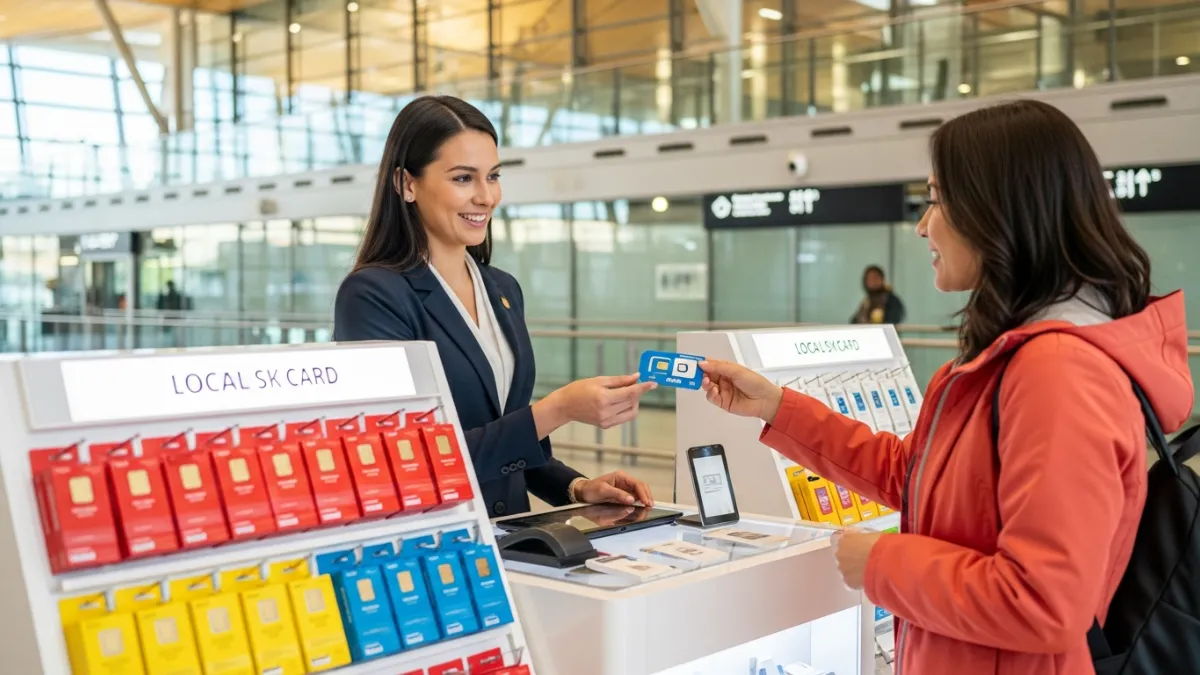
Buying a SIM at the Airport
If you prefer to buy a physical SIM on arrival, here's what to expect at major World Cup airports.
US Airports
JFK, LAX, Miami, Atlanta
JFK has SIM vending machines and InMotion stores in arrivals. LAX has currency exchange counters selling T-Mobile SIMs. Prices start at ~$30 for basic plans.
Tip: Airport SIMs are 30-50% more expensive than city stores. Buy an eSIM before departure if possible.
Canadian Airports
Toronto Pearson, Vancouver
Toronto Pearson has Chatr booths and carrier kiosks in international arrivals. Telus SIMs available: CAD $45/1 GB to CAD $96/5 GB (airport pricing).
Tip: City prices are significantly cheaper. A Chatr SIM at the airport costs ~$10 CAD, then add a plan at a carrier store.
Mexican Airports
Mexico City, Guadalajara, Monterrey
Mexico City airport has a Telcel store and independent kiosks (Nearbuys, Airshop). Starter kits from ~$5 USD; data plans from 3 GB/$10.
Tip: Mexican SIMs are the cheapest. A Telcel chip + 6 GB plan costs ~$12 at the airport, nearly as cheap as city prices.

Buy an eSIM before departure to skip airport SIM queues
Airport kiosks charge 30-50% more than online providers
WhatsApp, iMessage & Calling Apps
International fans rely heavily on messaging apps to communicate with friends, family, and fellow travelers. Here's what you need to know about using them during the World Cup.
WhatsApp works on any data connection
WhatsApp text, voice, and video calls all work over mobile data or WiFi. Most eSIM plans are data-only, but WhatsApp calls work perfectly as a phone replacement. In Mexico, many Telcel plans include free WhatsApp data.
Keep your home SIM for verification codes
Banks and apps often send SMS verification codes to your home number. In a dual-SIM setup, keep your home SIM active (even without data) to receive these codes. This is critical for banking apps and two-factor authentication.
Hotspot sharing with travel companions
Most eSIM plans and prepaid SIMs allow tethering/hotspot. One person can share their connection with 2-3 friends. Check your specific plan's hotspot policy, as some unlimited plans throttle hotspot speeds.
Frequently Asked Questions
Related Guides
Continue planning your World Cup trip

Currency & Exchange Guide
Handle USD, CAD, and MXN with exchange rates, ATM tips, and payment advice for all three countries.
Read Guide →
Getting Between Cities
Flights, trains, buses, and rentals between all 16 host cities, with cost comparisons.
Read Guide →
Safety Tips & Advice
Stay safe with emergency numbers, scam awareness, and security tips across three countries.
Read Guide →